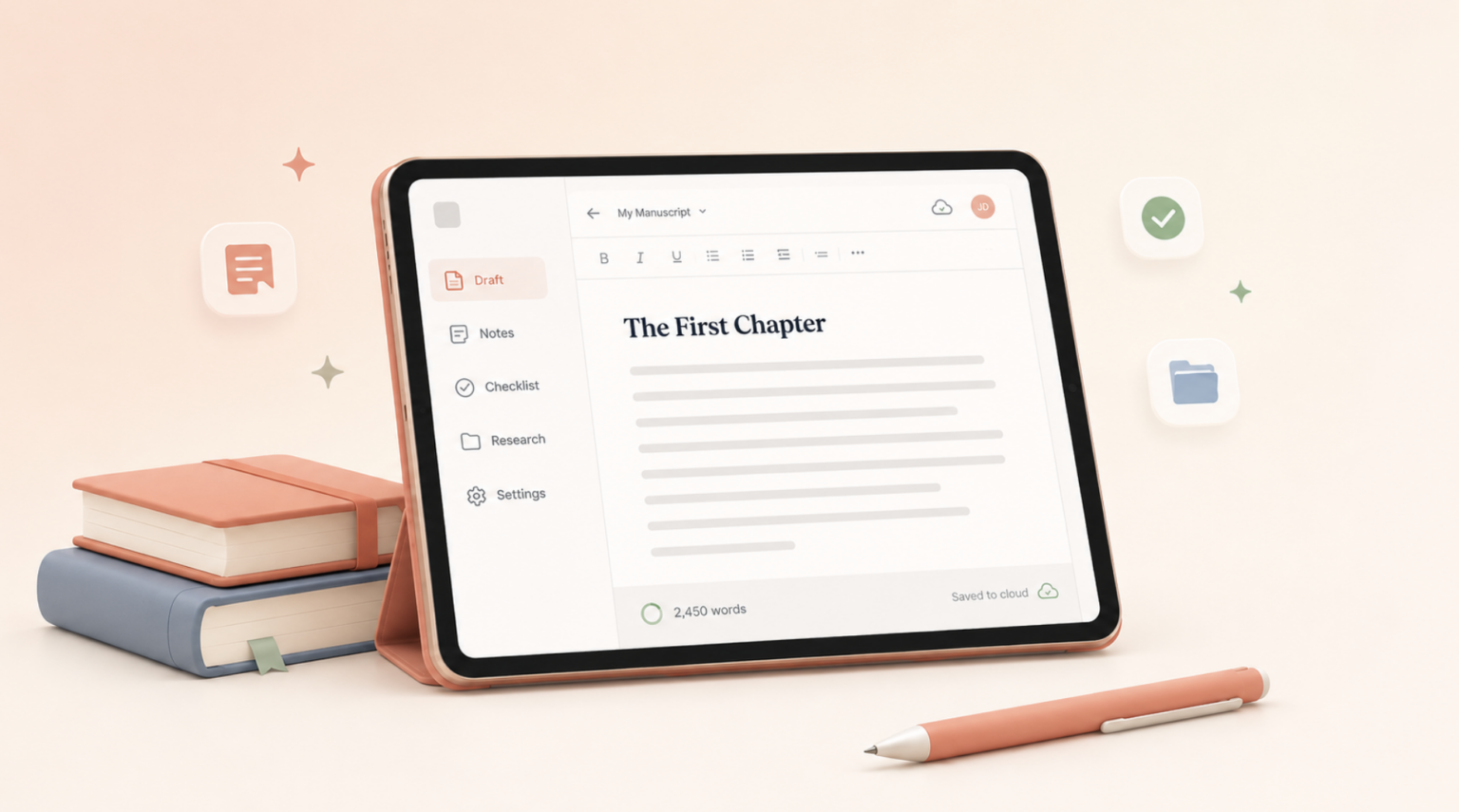
Novel writing software gives authors and writers a better way to plan, draft, organize, revise, and sometimes format a book. Some tools are simple and free, like Google Docs or Reedsy Studio. Others are built specifically for fiction writers, with features for chapters, scenes, characters, world-building, timelines, and word count goals.
The best novel writing software in 2026 depends on how you write. Some tools focus mostly on planning your book before writing, while others include plotting, editing, formatting, collaboration, or publishing features. For example, Scrivener positions itself as a long-form writing app for writers who need everything in one project, while Atticus combines writing and book formatting for print and ebook publishing.
In this guide, we’ll compare the best novel writing software, including free and paid tools, so you can choose the one that fits your writing process.
Best Writing Apps 2026: Quick Comparison
| Software/App | Best For | Price | Main Strength |
|---|---|---|---|
| Scrivener | Complex novels and research-heavy projects | Free trial. $59.99 (one-time fee) | Deep manuscript organization |
| Atticus | Self-publishing authors | $147 (one-time fee) | Writing and book formatting in one place |
| Dabble | Fiction writers who want a simple workflow | Free trial. Plans starting from $9/month | Distraction-free drafting and plot tools |
| Plottr | Plotting, timelines, and series planning | Free trial. Plans starting from $9.99/month | Visual outlining and story bibles |
| Novlr | Writers building a consistent writing habit | Free trial. $10/month | Goals, progress tracking, and focused drafting |
| Ulysses | Apple users who want a focused writing app | Free trial. $39.99/year | Clean writing, document management, syncing, and exports |
| Reedsy Studio | Free writing and formatting | Free | Browser-based drafting and export tools |
| Google Docs | Simple drafting and collaboration | Free | Free, familiar, and easy to share |
Quick answer: What is the best novel writing software? The best novel writing software in 2026 depends on your needs. Scrivener is best for organizing complex manuscripts, Atticus is best for writers or authors who want to write and format in one place, Dabble is best for distraction-free fiction writing, Plottr is best for visual outlining, and Google Docs is one of the best free novel writing software options.

Scrivener
Scrivener is one of the most popular novel-writing software options for authors who need structure. It is especially useful for long manuscripts, complex plots, research-heavy books, and writers who like to break their work into smaller pieces.
Instead of keeping your entire novel in one long document, Scrivener lets you organize your manuscript by sections, chapters, or scenes. You can also store notes, research, character details, and ideas inside the same project. Scrivener’s official site describes it as a writing app used by novelists, screenwriters, nonfiction writers, students, academics, journalists, translators, and more. Read more about writing a well-structured novel.
Scrivener is a good fit if you like control. You can rearrange scenes, work in smaller chunks, track notes, and keep your manuscript organized as it grows.
💰 Price: One-time purchase of $59.99, with a generous 30-day free trial.
🌟 Best for:
- Novelists working on complex manuscripts
- Fantasy, sci-fi, historical fiction, or multi-POV stories
- Authors who like folders, notes, research, and structure
- Writers who want a powerful desktop writing tool
💡Drawback: Scrivener has more of a learning curve than simpler tools. If you only want to open a blank page and start typing, it may feel like more than you need at first.
Atticus
Atticus is one of the best novel writing software options for authors who are already thinking about publishing. It is designed for both writing and formatting, which makes it especially useful for self-publishing authors.
Atticus helps authors write their manuscripts and format professional print books and ebooks. Its official site describes it as all-in-one book writing software for creating professional print books and ebooks, with support for Windows, Mac, Linux, and Chromebook.
This is important because many authors write in one tool, format in another, and then discover that their manuscript needs more cleanup before publishing. Atticus can simplify that process by keeping drafting and formatting closer together.
💰 Price: $147 (one-time fee)
🌟 Best for:
- Self-publishing authors
- Writers who want print and ebook formatting
- Authors who prefer one tool for drafting and formatting
- Writers preparing their book for platforms like Amazon KDP or other publishing channels
💡 Drawback: Atticus may be more publishing-focused than some early-stage writers need. If you are still brainstorming your first idea, you may not need formatting features yet.
Dabble
Dabble is novel writing software built specifically for fiction authors. It focuses on helping writers plan their plot, draft their story, stay organized, and write in a clean, distraction-free environment. Dabble’s official site highlights fiction writing features such as focus mode, dark theme, story notes, plot tools, and writing goals.
Dabble is a strong choice for writers who want something easier to learn than Scrivener but more fiction-focused than Google Docs. It is especially useful for authors who want structure, but not so much structure that the software starts to feel like another project.
💰 Price: Plans starting from $9/month
🌟 Best for:
- Fiction writers who want a clean writing space
- Beginners who want structure without feeling overwhelmed
- Authors who like writing goals and progress tracking
- Writers who want plotting and drafting in the same tool
💡 Drawback: Dabble is simpler than Scrivener in some areas. That can be a benefit or a limitation, depending on how much control you want.

Google Docs
Google Docs is not designed specifically for novel writing, but it is still one of the most useful free writing tools for authors. It is simple, cloud-based, familiar, and easy to share with editors, beta readers, co-authors, or writing partners.
For many first-time novelists, Google Docs is enough to get started. You can write chapters, leave comments, track suggestions, and access the manuscript from different devices. It does not offer the advanced plotting, character tracking, or manuscript organization features of dedicated novel writing software, but its simplicity is exactly why many writers use it.
💰 Price: FREE
🌟 Best for:
- Beginners
- Writers on a budget
- Collaboration with editors or co-authors
- Authors who want a simple free drafting tool
💡Drawback: Large manuscripts can become harder to manage in Google Docs. Once your book grows, you may need stronger chapter organization or a dedicated planning system.

Ulysses
Ulysses is a polished writing app for Mac, iPad, and iPhone users who want a clean, focused writing environment. It combines writing, document management, syncing, and flexible export options. Ulysses describes itself as offering a focused writing experience, effective document management, fast syncing, and flexible export for writers of all kinds.
Ulysses is not only for novelists. It is also popular with bloggers, essayists, and professional writers. That said, it can work well for novels if you like a minimalist interface, Markdown-style writing, strong organization, and easy syncing across Apple devices.
💰 Price:
🌟 Best for: $39.99/year
- Mac, iPad, and iPhone users
- Writers who prefer a minimalist writing environment
- Authors who like Markdown-style drafting
- Writers who want strong syncing and export options
💡Drawback: Ulysses is best suited to the Apple ecosystem. If you use Windows or Android, it is probably not the right fit.

Novlr
Novlr is a creative writing workspace designed to help writers build momentum and maintain a writing habit. It focuses on flow, goals, writing sprints, progress tracking, notes, and a clean writing environment. Novlr’s official site says its features are designed to help writers build their writing habit, with tools such as a flow widget, note sidebar, writing sprints, goal celebrations, focus mode, and typewriter setting.
This makes Novlr a good option for writers who are less worried about heavy formatting and more focused on getting words onto the page consistently. It is especially helpful if motivation, routine, and progress tracking are important parts of your writing process. Read more in our in-depth Novrl review.
💰 Price: $10/month
🌟 Best for:
- Writers who want to build a consistent writing habit
- Authors who like goals, progress tracking, and writing sprints
- Writers who want a clean, cloud-based drafting space
- Novelists who want support staying focused
💡 Drawback: Novlr may not be the best choice if your main need is advanced book formatting or highly detailed project control. It is strongest as a writing and productivity workspace.

Reedsy Studio
Reedsy Studio is one of the strongest free novel writing software options for authors who want a browser-based tool. It lets authors plan, draft, edit, and format a book online, and it can export professional EPUB and print-ready files.
This makes Reedsy Studio especially useful for writers who want something cleaner than Google Docs but do not want to pay for dedicated writing software. It is also helpful for authors who want to move from drafting into formatting without using a complicated design program.
💰 Price: FREE
🌟 Best for:
- Authors looking for free novel writing software
- Writers who prefer browser-based tools
- Self-publishing beginners
- Authors who want simple export options
💡 Drawback: Because it is browser-based, it may not be ideal for writers who prefer a fully offline desktop experience.
Plottr
Plottr is different from many other tools on this list because it is mainly focused on planning, not drafting. If your biggest challenge is figuring out what happens next, organizing a timeline, or keeping track of a series, Plottr can be extremely useful.
Plottr describes itself as visual book planning and story bible software. It includes plot outlining templates, visual scene mapping, series arcs, character journeys, notes, places, tags, and writing goal tracking.
This makes Plottr a good companion tool. Many authors use it to plan the story, then write the actual manuscript in another tool like Scrivener, Word, Google Docs, Dabble, Atticus, Novlr, or Ulysses.
💰 Pricing: Plans starting from $9.99/month
🌟 Best for:
- Plotters who like to plan before writing
- Series authors
- Fantasy, mystery, romance, thriller, and sci-fi writers
- Authors tracking characters, places, timelines, and subplots
💡 Drawback: Plottr is not mainly a drafting tool. If you want one place to write the entire manuscript, you may need to pair it with another writing app.
How to Choose the Best Writing App for You
Before choosing a tool, ask yourself five questions.
1. Are you a plotter or a pantser?
Plotters usually benefit from tools like Plottr, Scrivener, Dabble, or Novlr. These tools help organize the story before or during the drafting process.
Pantsers, who prefer to discover the story as they write, may prefer Google Docs, Ulysses, Dabble, or Scrivener with a simpler setup.
2. Are you writing a standalone novel or a series?
A standalone novel can be managed in almost any writing tool. A series usually needs stronger organization. If you need to track recurring characters, places, backstory, timelines, and unresolved plot threads, Plottr or Scrivener may be useful.
3. Do you need formatting features?
If you plan to self-publish, formatting matters. Atticus and Reedsy Studio are especially relevant because they help authors move closer to print and ebook files. Atticus focuses on writing and formatting professional print books and ebooks, while Reedsy Studio can help authors draft and export book files.
4. What devices do you write on?
This can narrow the choice quickly.
If you write mostly on Mac, iPad, or iPhone, Ulysses may be a strong fit because it is built around Apple devices, syncing, and a focused writing experience. If you write across multiple operating systems, Atticus, Google Docs, Reedsy Studio, Novlr, or browser-based tools may be easier to access.
5. What will help you finish?
This is the most important question. The best novel-writing software is the one that helps you keep writing.
Start Your Publishing Journey FOR FREEWhat Are the Best Apps for Writing a Book?
When it comes to writing a book, not every writing app is up to the task. You need more than just a blank page – you need structure, flexibility, organization, and the ability to manage hundreds of pages without losing your mind. Fortunately, several tools on this list are built specifically with authors in mind.
Here are the top apps Spiens would pick for writing a book:
Scrivener
Hands down the best all-in-one tool for authors. It lets you break your manuscript into chapters and scenes, view them in outline or corkboard mode, and track word count goals. It’s ideal for both fiction and nonfiction writers who like to plan, rearrange, and write in chunks.
Novlr
A clean, cloud-based alternative to Scrivener. It’s perfect for writers who want to write, track progress, and export beautifully without a steep learning curve. Novlr also includes goal-setting and version control.
Reedsy Book Editor
Ideal for formatting and publishing your finished book. It’s not as robust for drafting messy first drafts, but if you want to make your manuscript look professional—this free tool delivers.
Ulysses (Mac/iOS only)
Great for Apple users who want a distraction-free interface with strong organizational features. It’s particularly good for novelists who enjoy Markdown formatting and minimalist design.
When choosing the right app, consider how you like to write: do you need chapter folders? Word count goals? Distraction-free writing? The best book-writing app is the one that fits your workflow—and keeps you coming back to the keyboard.
- Best for outlining + structure: Scrivener
- Best for writing in the cloud: Novlr
- Best for formatting for print/eBooks: Reedsy Book Editor
- Best for Apple minimalists: Ulysses
Find out more about the best writing websites for stories, essays, and more.
FAQ: Writing Apps
Q: What is the best novel writing software?
The best novel writing software depends on how you write. Scrivener is strong for complex manuscripts, Atticus is useful for writing and formatting, Dabble is good for distraction-free drafting, Plottr is best for visual outlining, and Google Docs is a reliable free option.
Q: What is the best free novel writing software?
Google Docs is one of the best free novel writing tools because it is simple, cloud-based, and easy to share with editors or co-authors. Reedsy Studio and LibreOffice Writer are also good free options, depending on whether you prefer browser-based or offline writing.
Q: What is the best writing app overall?
The best writing app depends on what you’re writing and how you work. For books, Scrivener or Novlr are excellent; for blogging and collaboration, Google Docs or Notion are top choices. If editing is your focus, Grammarly is unbeatable. The key is finding the right balance between features, ease of use, and your writing style.
Q: Is Scrivener worth it for writers?
Yes. Scrivener is worth it for serious writers, especially those working on long-form projects like novels, memoirs, or research-heavy nonfiction. Its ability to organize chapters, research, notes, and goals all in one place makes it incredibly powerful. While there’s a bit of a learning curve, the time you save organizing and structuring your work pays off quickly. Plus, it’s a one-time purchase—not a subscription.
Q: Can I write a book using Google Docs?
Yes, Google Docs is a great option for writing a book. Especially if you’re working with editors or co-authors. It’s free, easy to use, and saves automatically in the cloud. While it doesn’t have the advanced features of tools like Scrivener, it handles basic chapter formatting, comments, and collaboration smoothly. Many authors have successfully drafted and edited entire books using Google Docs.
Q: What apps do professional writers use?
Professional writers use a mix of writing tools depending on their niche. Scrivener is popular among novelists and screenwriters, while Google Docs and Microsoft Word are go-to options for journalists, bloggers, and business writers. Many also use Grammarly for editing and Notion or Evernote for planning and notes.
Q: Are there writing apps for Android?
Yes, there are writing apps for Android. Apps like JotterPad, Google Docs, Evernote, and Notion are all available on Android. JotterPad is especially great for focused writing and screenplay formatting, while Google Docs offers full document editing with cloud syncing. These mobile-friendly tools let you write on the go without sacrificing usability or features.
Q: Is Scrivener better than Google Docs for writing a novel?
Scrivener is usually better for complex novels because it offers stronger organization, research storage, and chapter management. Google Docs is better for simple drafting, collaboration, and free access. Many authors draft in one tool and edit or share in another.
Last Updated: May 2026.